How to make a Holy Trinity meme
Use your own character pictures to cast the Mother, Daughter and Holy Spirit roles, then expand the cast if you want to.
1. Choose a layout
Choose Just the trinity for three large images, or Full cast for surrounding roles, pairs and a bottom group. Switching layouts keeps the hidden roles in your editable draft.
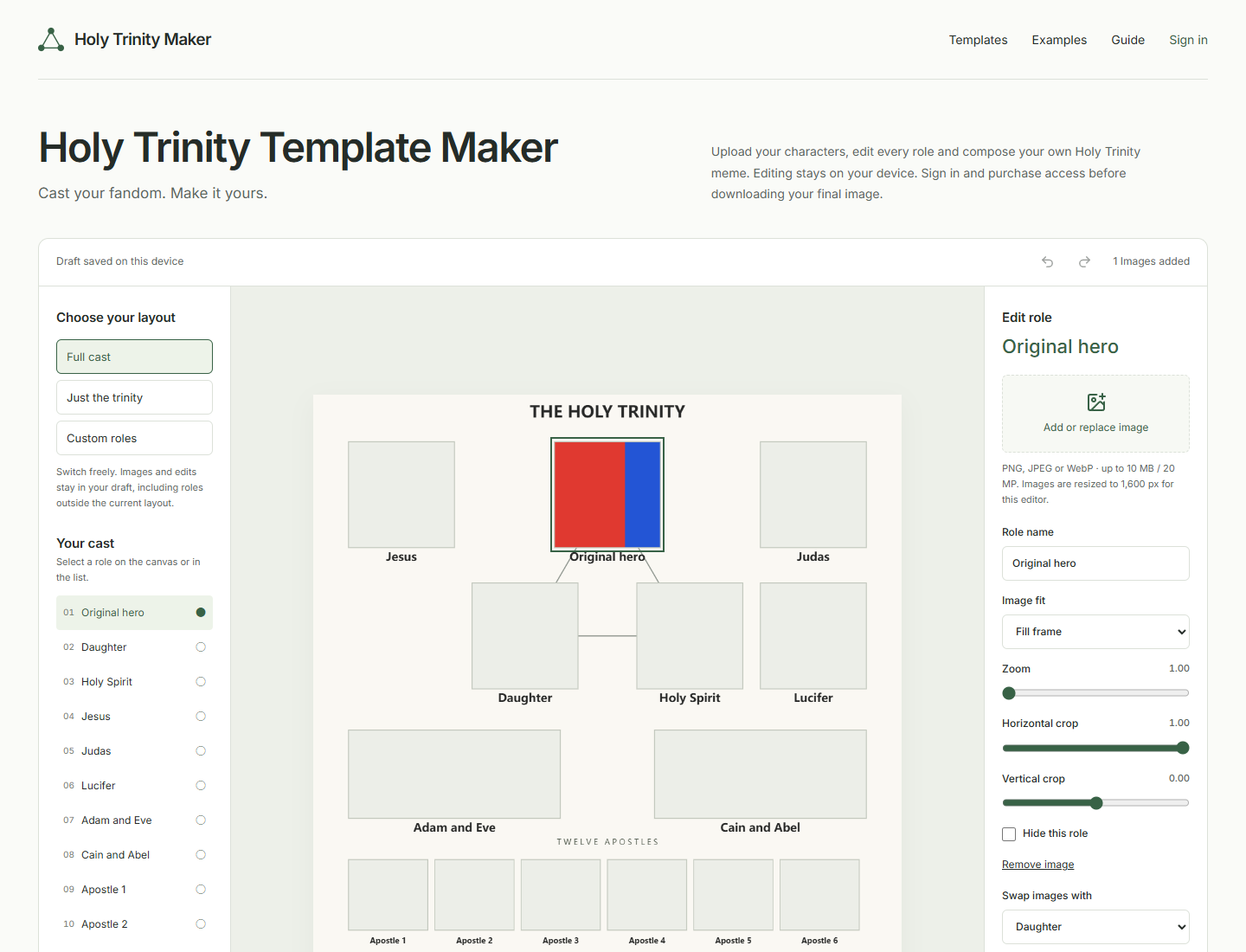
2. Add images and frame each character
Select a role, then Add or replace image. Choose a PNG, JPEG or WebP under 10 MB and 20 megapixels. Use Fill frame to crop, or Show whole image to preserve the complete picture. Zoom and the two crop sliders adjust that role only. Images are processed on this device and resized to a maximum edge of 1,600 pixels.
3. Edit names, pairs and group members
Type up to 64 characters for each role name. Use Swap images to exchange the pictures while keeping role labels. In the project settings, use a single picture for a pair or separate pictures, and choose one to twelve apostles. Select a group member to move its image earlier or later. Undo and Redo restore edits.
4. Keep a backup, then download
Choose square (1080 × 1080), portrait (1080 × 1350) or story (1080 × 1920). Every filled frame stays in the composition. PNG supports transparency; JPEG uses warm white. Download an editable project backup to keep your images and settings. A final PNG/JPEG requires login and access credits. During this public beta, checkout is a clearly labeled simulation: no card details or real money.
Browser storage can be cleared or become full. If restoration fails, import a project backup. A missing image must be replaced before exporting.
Open the maker